Start with the context.
The important customer details stay with you, even on your busiest days.
Your day moves on. The context stays.
Your customers, what you agreed and the next step — together in one place. Return to every conversation with the context you saved.
For Android 10 and later
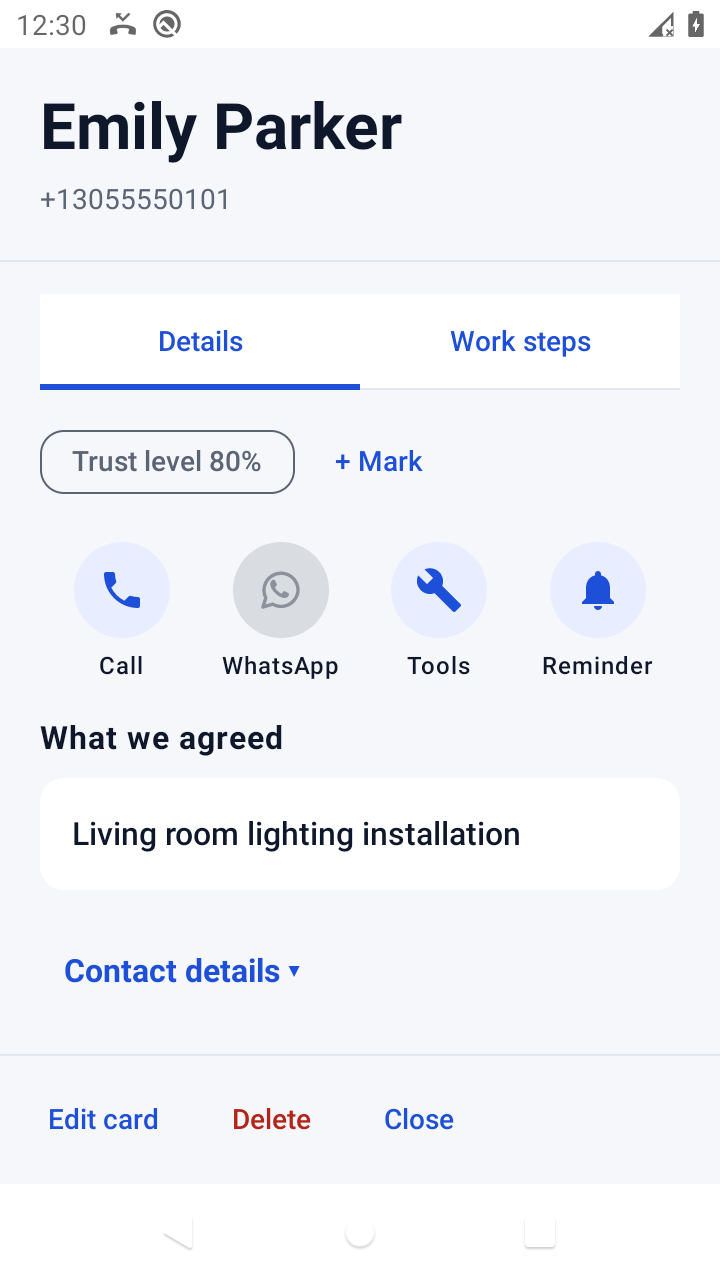
Every call is a continuation.
Pick up where you left off.
Less searching. More context.
The important customer details stay with you, even on your busiest days.
Less searching through messages and notes. More confidence in the next conversation.
Keep the next step clear, so the work can move forward.
Room for the details that matter.
A quick look at the main People Memory screens.
Keep the context between conversations.
Actual app screens. All example details are fictional.
A look inside
The details you saved can make a difference in your next conversation.
Start at your own pace.
Free
Up to 10 contacts, with the important details for each conversation.
Coming soon to Google PlayPRO
For customers and work that keep growing.
Subscription details and pricing will appear in Google Play when available.
Coming soon to Google PlaySubscriptions are available through Google Play only.
GOOD TO KNOW
You add the details you want to remember. People Memory shows the information you saved; it does not automatically write your agreements for you.
The price you quoted, what you discussed, a request, or the next step you want to remember.
Call-related features and reminders need the relevant permissions on your phone. If you need help, contact support with your phone model and app version.
Use the form below to describe what you tried and what happened. Keep customer details, passwords and payment information out of your message.
People Memory is built for Android 10 and later. No iPhone version is available. Call features need the relevant phone permissions.
WE’RE HERE TO HELP
A question about People Memory? Need a hand with the app? Tell us what’s on your mind.
support@peoplememory.app ↗Support in English.